Secrets
Secrets let you store sensitive values (API keys, tokens, passwords) in the Admin UI and reference them anywhere in your configuration with ${KEY} syntax. No more hardcoding credentials or juggling environment variables across deployments.
Creating a secret #
Open the Admin UI, click Secrets in the sidebar, then + New Secret.
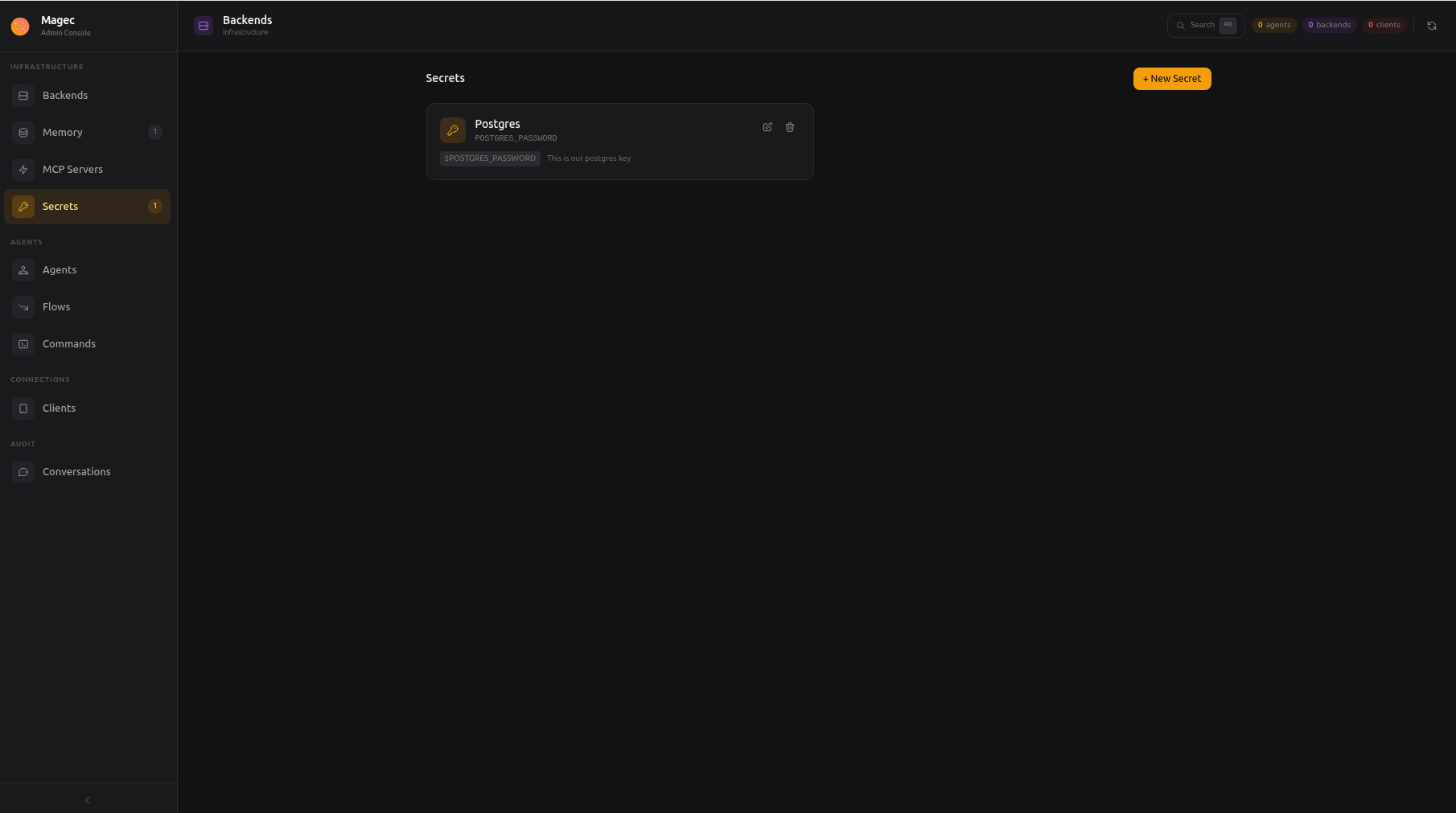
Fill in the form:
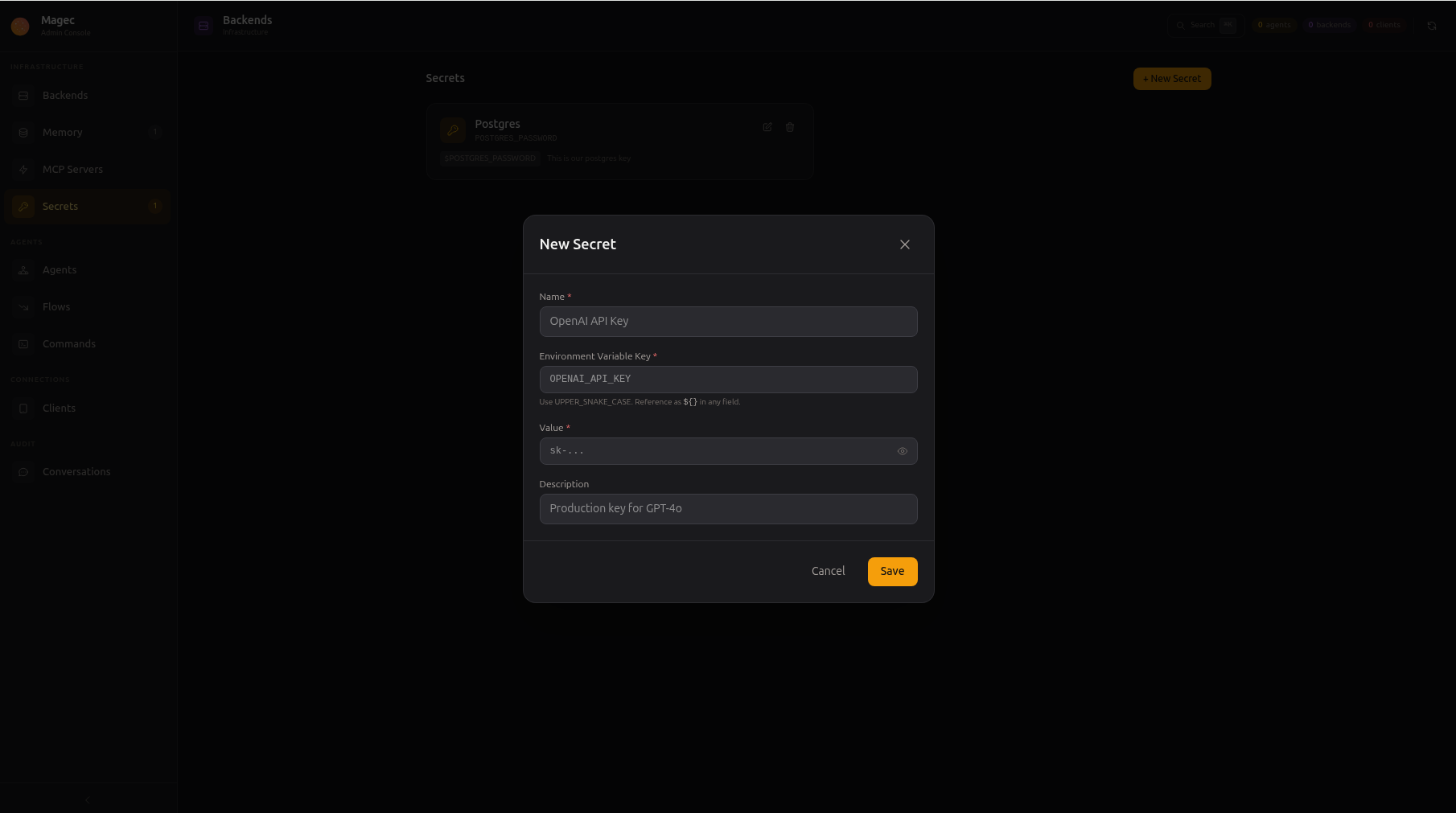
| Field | What to enter | Example |
|---|---|---|
| Name | A human-readable label | OpenAI API Key |
| Environment Variable Key | The key you’ll reference with ${...}. Must be UPPER_SNAKE_CASE. | OPENAI_API_KEY |
| Value | The actual sensitive value. Once saved, it’s never shown again. | sk-... |
| Description | Optional note for yourself | Production key for GPT-4o |
Click Save. The secret is ready to use immediately.
Using secrets in your configuration #
Once created, reference a secret anywhere by wrapping its key in ${...}. For example, when configuring a backend:
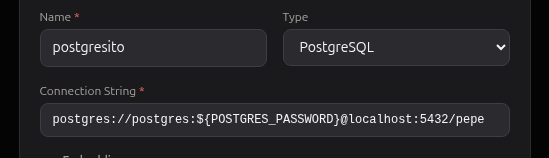
Here the connection string uses ${POSTGRES_PASSWORD}. Magec replaces it with the actual secret value at runtime.
Where you can use ${KEY}
#
Secrets work in every resource field:
| Resource | Example field | Example value |
|---|---|---|
| Backends | API Key | ${OPENAI_API_KEY} |
| Backends | Base URL | ${OPENAI_BASE_URL:-https://api.openai.com/v1} |
| Memory | Connection String | redis://${REDIS_PASSWORD}@redis:6379 |
| MCP Servers | Environment | GITHUB_TOKEN: ${GITHUB_TOKEN} |
| Clients | Token | ${TELEGRAM_BOT_TOKEN} |
The ${VAR:-default} syntax is also supported: if the variable is unset or empty, the default value after :- is used instead.
Letting agents use secrets #
Agents can use secrets inside tool calls without ever seeing the values. On the agent form, open the Secrets section and pick which secrets the agent may use (or enable Allow all secrets).
The agent then writes a placeholder wherever a tool argument needs the value:
{{secret:GITHUB_TOKEN}}
Magec substitutes the real value right before the tool runs and scrubs it from the tool’s response before the model reads it. The model works with the placeholder the whole time: the value never enters the conversation, the session history, or the recorded runs.
Agents with secrets get the list of allowed keys in their instructions automatically, so you rarely need to mention placeholders in your prompt.
Using secrets in flows #
Flow blocks accept secrets with the same style as input and state, each in its own language:
| Block | Syntax | Example |
|---|---|---|
| Template | {{ secret.KEY }} | Authorization: Bearer {{ secret.API_TOKEN }} |
| Expression | secret.KEY | "Bearer " + secret.API_TOKEN |
| Code | secret["KEY"] | output = fetch(url, secret["API_TOKEN"]) |
Saving a flow that references a nonexistent key fails with a clear error. Requests leaving for the LLM are always scrubbed of known secret values, so a secret used in a block cannot leak into a downstream agent’s conversation.
How it works under the hood #
When Magec starts, all secrets are injected as environment variables. Then every ${VAR} reference in the store is expanded. This means secrets and regular environment variables (from Docker, Kubernetes, systemd) all work the same way.
If you need to understand the expansion pipeline, encryption details, external env var compatibility, or recovery procedures, see Advanced Secrets.
Encryption #
When server.encryptionKey is set in config.yaml, all secret values are encrypted on disk using AES-256-GCM. Without an encryption key, secrets are stored in plain text and a warning is logged.
See Advanced Secrets: Encryption at rest for the full technical details.