Agentic Flows
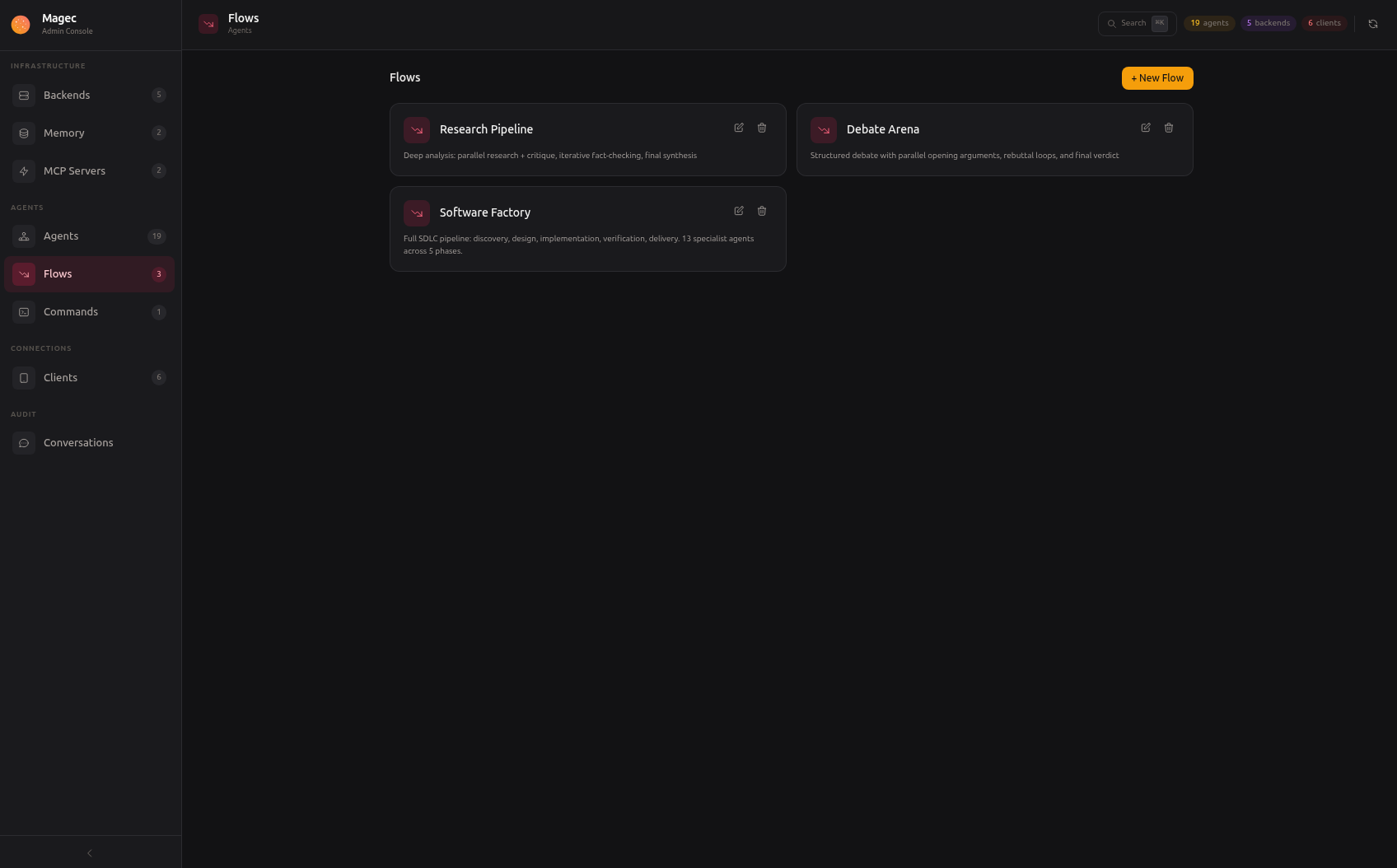
A flow chains multiple agents into a multi-step workflow. Instead of one agent handling everything, you split the work: one agent researches, another writes, another reviews, another fact-checks. Each agent focuses on what it does best, and the flow coordinates them.
Flows are built visually in the Admin UI with a drag-and-drop editor. You can also define them as JSON through the API. The visual editor is the same regardless of complexity — a 2-agent pipeline and a 20-agent workflow use the same building blocks.
Why use flows #
A single agent can be powerful, but it has limits. It might be great at writing but mediocre at fact-checking. It might handle research well but produce unstructured output. Flows solve this by letting you compose specialized agents:
- Quality through specialization — Each agent has a focused prompt and can use a different model. A fast cheap model for drafts, a powerful expensive model for review.
- Iterative refinement — Loops let agents revise their work until it meets a quality bar.
- Parallel processing — Multiple agents work simultaneously on different parts of a problem, then their results merge.
- Data passing — Agents share structured data through output keys, so one agent’s research becomes another agent’s input.
Step types #
Flows are built from four types of steps, which can be nested freely:
Agent #
The leaf node. It runs a single agent and passes its output forward. Every flow ultimately bottoms out in agent steps — they’re the ones doing the actual work.
Sequential #
Runs its children one after another, in order. The output of each step becomes available to the next. This is the most common building block — “do A, then B, then C.”
Parallel #
Runs its children simultaneously. All branches receive the same input and their outputs are concatenated and passed forward. Use this when multiple agents can work independently on different aspects of the same problem.
Loop #
Repeats its children until one of two things happens:
- An agent calls the built-in
exit_looptool, signaling that the work is done - The
maxIterationslimit is reached (safety net to prevent infinite loops)
Loops are powerful for iterative refinement — an agent drafts, a critic reviews, and the loop continues until the critic is satisfied.
Nesting #
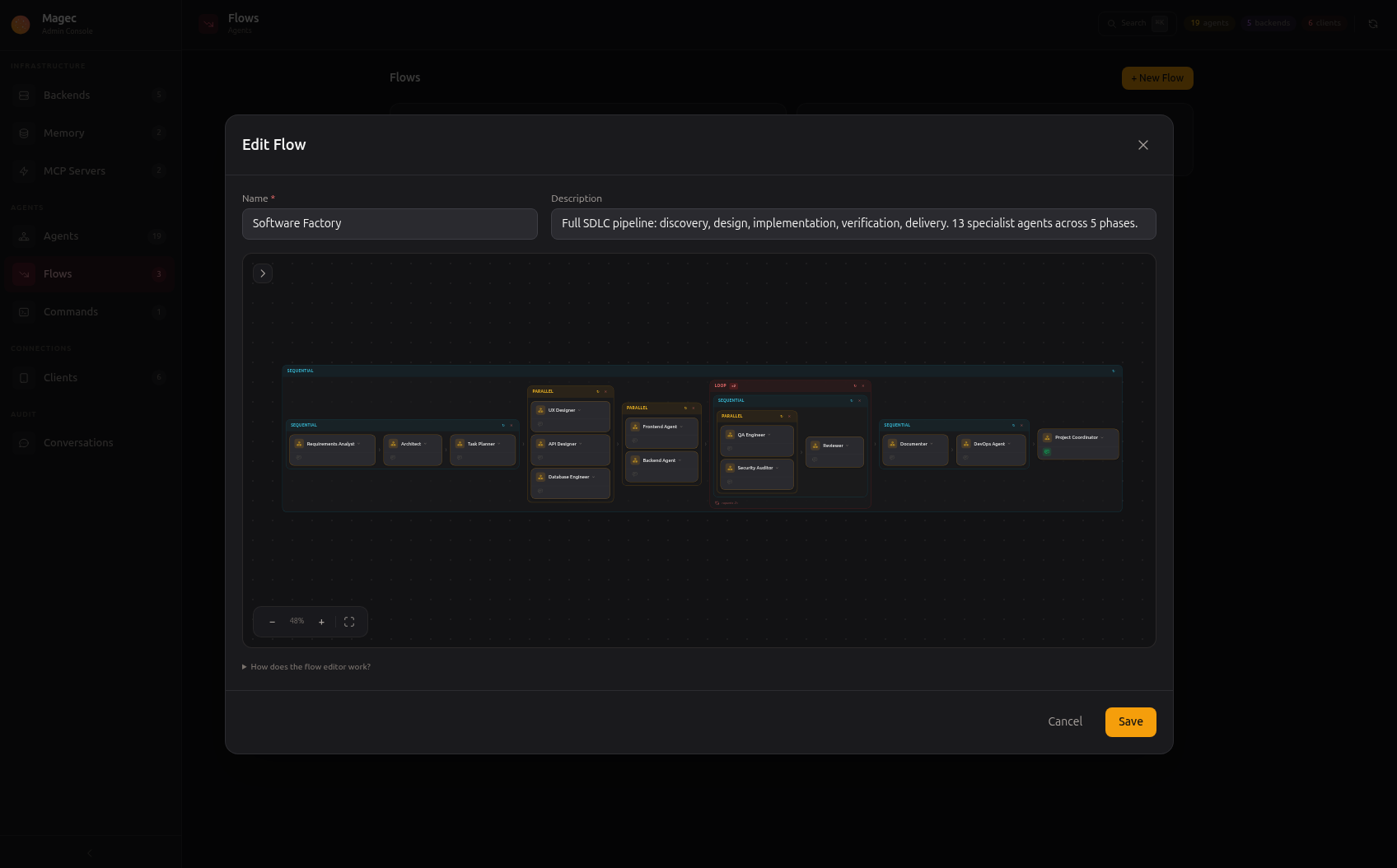
Steps can be nested without limits. A sequential step can contain parallel branches. A parallel branch can contain loops. A loop can contain sequences with more parallels inside them. The visual editor handles this naturally — you drag steps into other steps.
Building flows #
Visual editor #
The Admin UI has a flow editor where you create flows by dragging step types onto a canvas and connecting them. Add agents, wrap them in sequential/parallel/loop containers, and arrange them however you want.
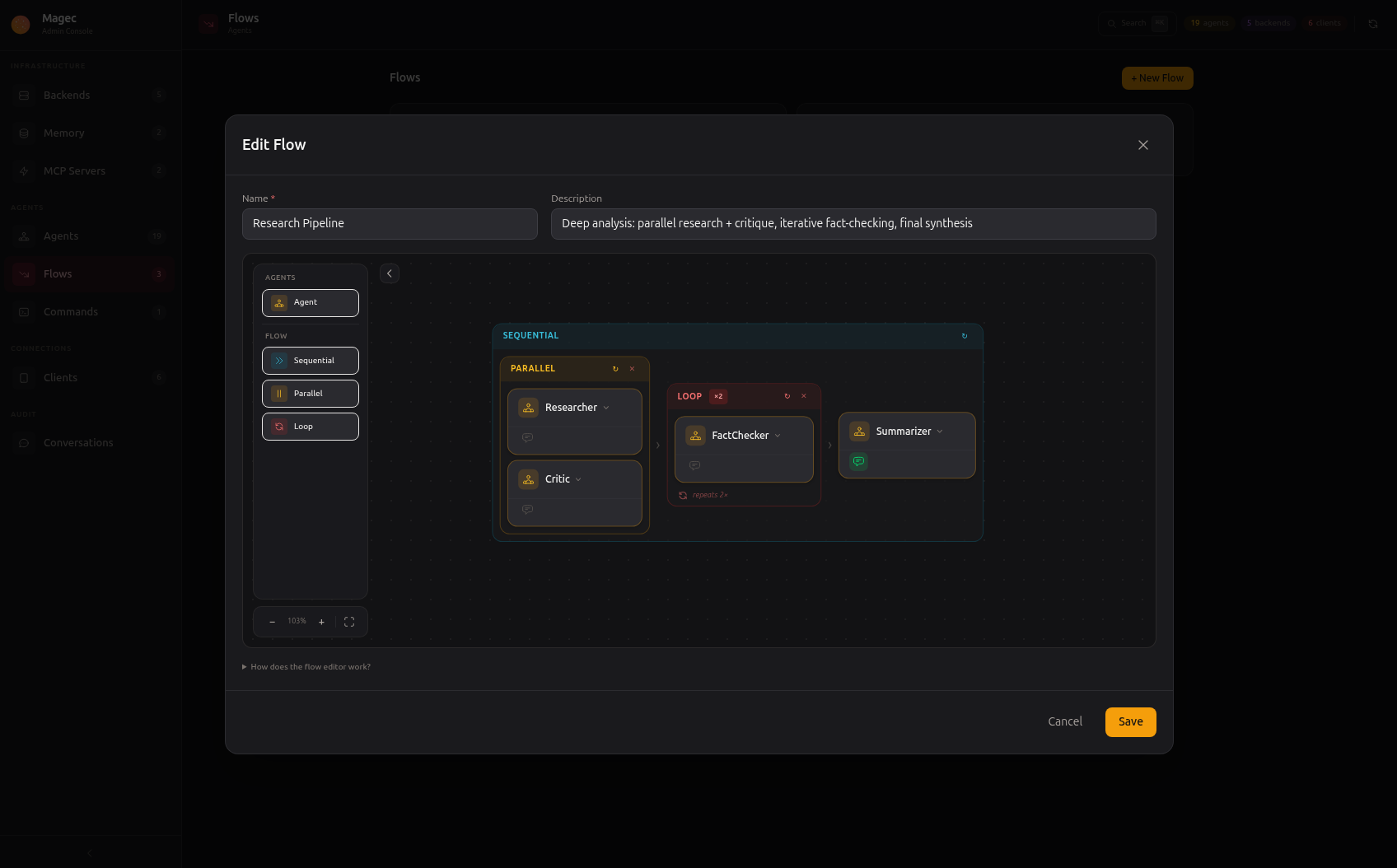
The Research Pipeline above shows a simple flow: parallel research and critique, then fact-checking, then synthesis. Four agents, clear and readable.
The same editor handles much larger workflows. The Software Factory below chains 13 agents through a full software development lifecycle:
How data flows between agents #
Each step receives the accumulated output of all previous steps as context. The mechanism for structured data passing is output keys:
- Give an agent an
outputKeyin its configuration (e.g.,research_results) - The agent’s output is saved under that key in the flow’s shared state
- Later agents can reference it with
{{agent.output:research_results}}in their system prompt - Magec replaces the placeholder with the actual output at runtime
Note: Magec uses
{{agent.output:variable}}instead of{variable}for state references. This avoids conflicts with curly braces in your prompts, JSON examples, or any other content that uses{and}.
This lets you build precise data pipelines. A “researcher” outputs structured findings, a “writer” references those findings in its prompt, a “reviewer” references both. Each agent sees exactly the context it needs.
In parallel steps, all branches receive the same input. Their outputs are concatenated and passed to whatever comes next.
Response agents #
When a flow runs, every agent in the pipeline produces output internally. But the user doesn’t necessarily want to see all of it — they want the final result. The response agent flag controls which agent’s output appears in the response that the user sees.
Mark one or more agent steps as “response agent” in the flow editor. Only those agents’ outputs will be included in the final response. This is especially useful for flows where intermediate steps (research, validation, formatting) produce output that’s useful for the pipeline but not for the user.
Spokesperson (Voice UI) #
When a flow is selected in the Voice UI, you can choose which agent acts as the spokesperson — the voice the user hears. The spokesperson’s TTS and STT configuration determines how the flow sounds and how it listens.
By default, the spokesperson is the first response agent. But you can switch it from the agent switcher in the Voice UI. This lets you, for example, have a flow where the “manager” agent is the response agent (its text appears in chat) but the “presenter” agent is the spokesperson (its voice is what you hear).
See Voice UI — Spokesperson for details.
Example flows #
Research Pipeline (4 agents) #
A parallel research stage where two researchers work simultaneously, a critique stage, then synthesis.
Sequential
├── Parallel
│   ├── Agent: Researcher A
│   └── Agent: Researcher B
├── Agent: Fact Checker
└── Agent: Synthesizer (response agent)
Debate Arena (3 agents) #
A loop where two debaters argue while a moderator controls the flow.
Loop (maxIterations: 5)
└── Sequential
    ├── Agent: Debater A
    ├── Agent: Debater B
    └── Agent: Moderator (calls exit_loop when debate is resolved)
Software Factory (13 agents) #
A full SDLC pipeline with parallel development branches and quality loops.
Sequential
├── Agent: Product Manager
├── Agent: Architect
├── Parallel
│   ├── Agent: Frontend Developer
│   ├── Agent: Backend Developer
│   └── Agent: Database Engineer
├── Loop
│   └── Sequential
│       ├── Agent: QA Engineer
│       └── Agent: Code Reviewer
├── Agent: Technical Writer
├── Agent: Security Auditor
└── Agent: Deployment Manager (response agent)
These are just patterns. You can build any workflow topology that makes sense for your use case.