AI Backends
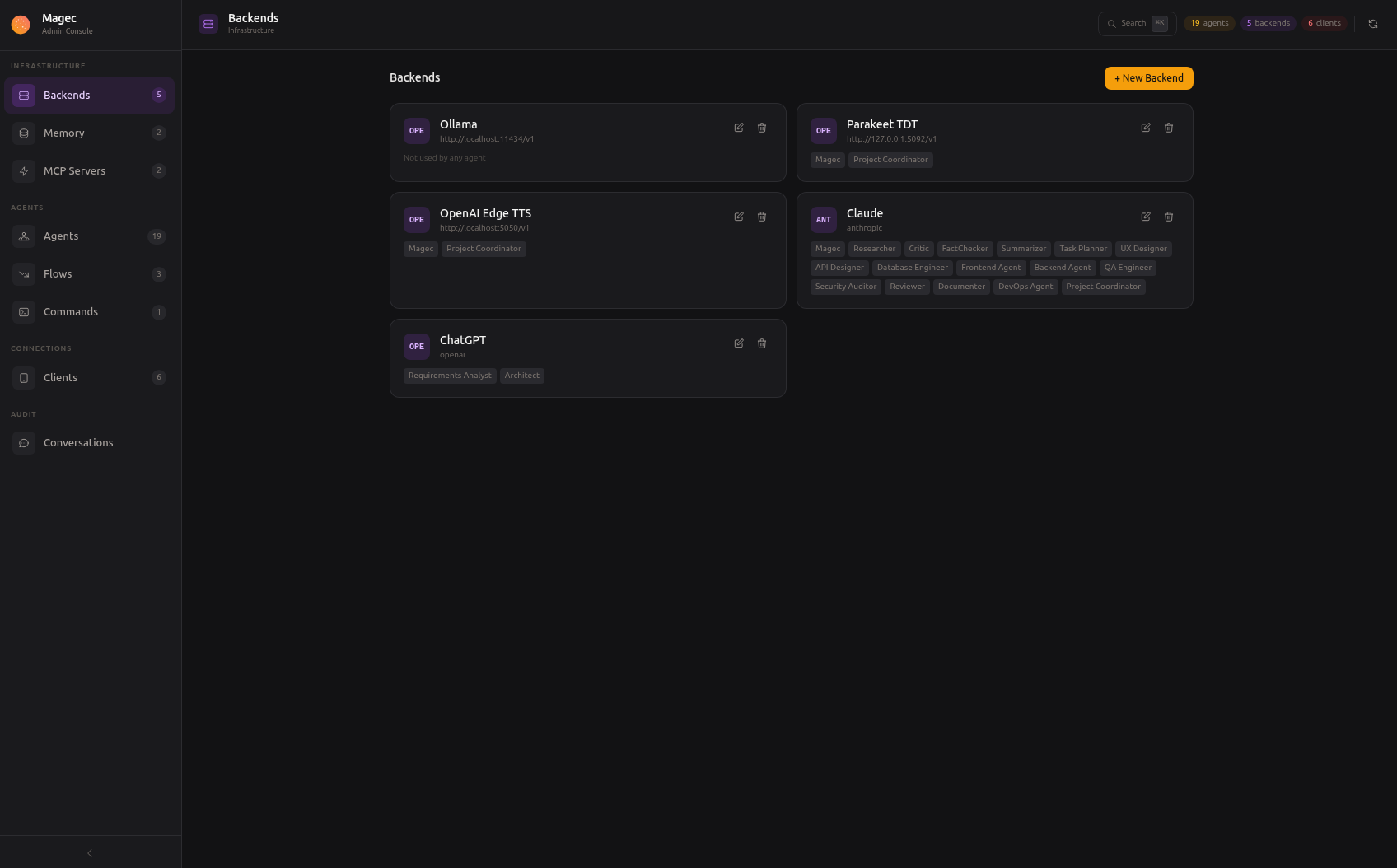
A backend is a connection to an AI provider. It tells Magec where to send requests for text generation, embeddings, speech-to-text, or text-to-speech. You can have as many backends as you want — one per provider, or several pointing at different models or instances of the same provider.
Every agent references a backend for its LLM. Optionally, an agent can also reference backends for voice (STT, TTS) and the memory system references one for embeddings. This means you can mix providers freely: one agent can use OpenAI for its brain and a local Ollama for embeddings, another can use Anthropic for reasoning and the same OpenAI for voice.
Backend types #
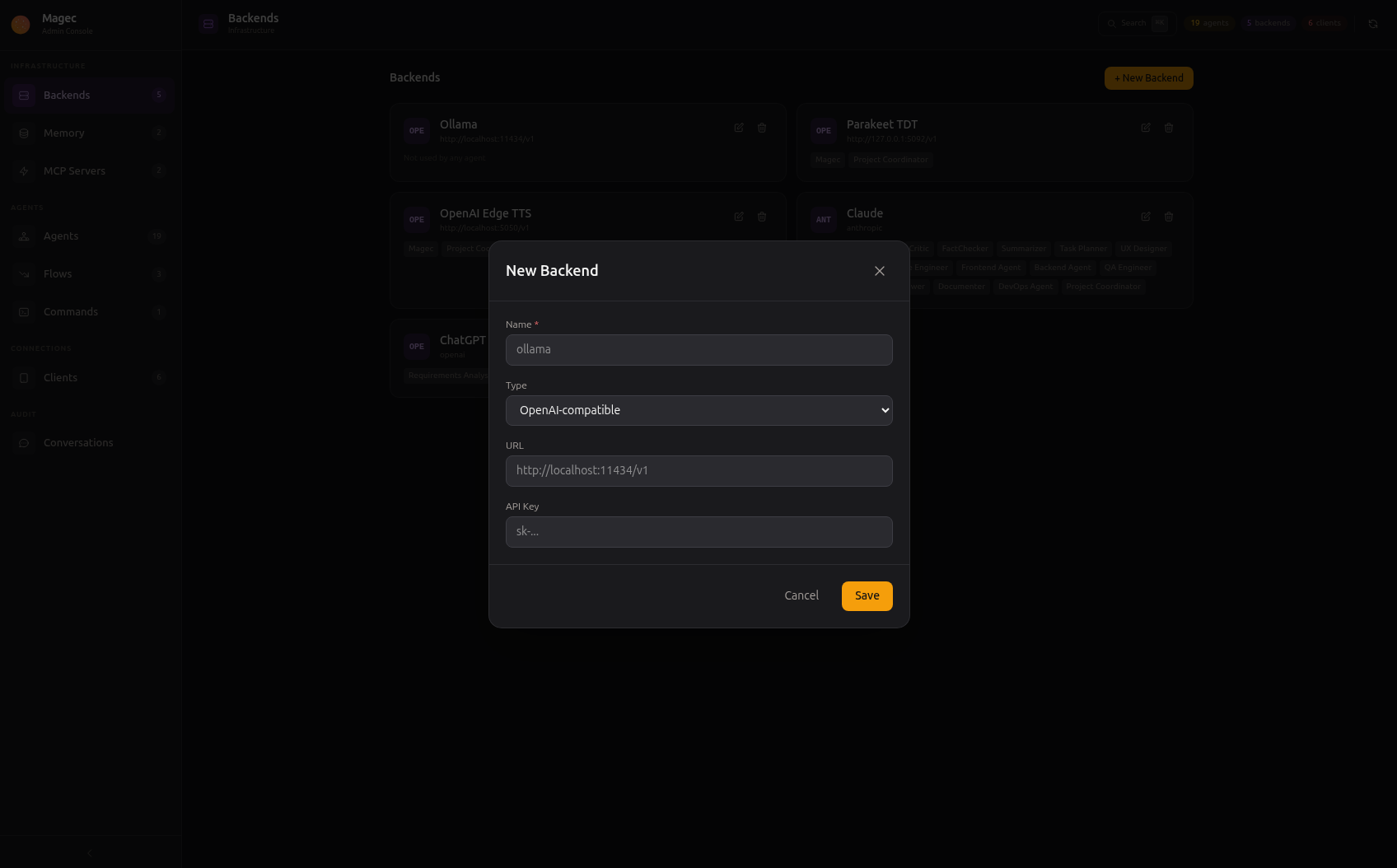
Click + New Backend to create one. All types share the same dialog:
OpenAI (openai)
#
Works with OpenAI’s API and any service that implements the same protocol. This includes Ollama, LM Studio, vLLM, LocalAI, and many others. If a service exposes /v1/chat/completions, this is the type to use.
| Field | Required | Description |
|---|---|---|
name | Yes | Display name (e.g., “OpenAI Production”, “Local Ollama”) |
url | No | API base URL. Defaults to https://api.openai.com/v1. For Ollama, use http://ollama:11434/v1. |
apiKey | No | API key. Required for OpenAI. Not needed for local services without auth. |
Common configurations:
# OpenAI Cloud
Name: OpenAI
URL:  (leave empty — uses default)
Key:  sk-...

# Local Ollama
Name: Ollama Local
URL:  http://ollama:11434/v1
Key:  (leave empty)

# Local Parakeet (STT)
Name: Parakeet
URL:  http://parakeet:5092
Key:  (leave empty)

# OpenAI Edge TTS (local TTS)
Name: Edge TTS
URL:  http://tts:5050
Key:  (leave empty)
openai type is the most versatile because the OpenAI API has become a de facto standard. Most local inference servers implement it, so you can run fully local without any code changes.Anthropic (anthropic)
#
For Anthropic’s Claude models. Uses the official Anthropic API protocol, which is different from OpenAI’s.
| Field | Required | Description |
|---|---|---|
name | Yes | Display name |
apiKey | Yes | Anthropic API key (starts with sk-ant-) |
Anthropic doesn’t offer STT, TTS, or embedding APIs, so this backend type is used only for LLM inference. For voice and embeddings, add a separate openai-type backend pointing at a local service.
Google Gemini (gemini)
#
For Google’s Gemini models. Uses the official Google GenAI SDK.
| Field | Required | Description |
|---|---|---|
name | Yes | Display name |
apiKey | Yes | Google API key (starts with AI) |
Like Anthropic, Gemini is LLM-only in Magec. Use a separate backend for STT, TTS, and embeddings.
What a backend can power #
A single backend connection can serve multiple roles depending on the provider’s capabilities:
| Role | Used for | Who references it | Example models |
|---|---|---|---|
| LLM | Text generation, reasoning, tool use | Agents (required) | gpt-4.1, claude-sonnet-4-20250514, qwen3:8b |
| Embeddings | Semantic search for long-term memory | Memory providers | text-embedding-3-small, nomic-embed-text |
| STT | Speech-to-text (Whisper-compatible) | Agents (optional) | whisper-1, nvidia/parakeet-ctc-0.6b-rnnt |
| TTS | Text-to-speech | Agents (optional) | tts-1, tts-1-hd |
Not every backend supports every role. OpenAI supports all four. Ollama supports LLM and embeddings. Anthropic and Gemini support only LLM. For the roles a provider doesn’t cover, you add a different backend.
Creating a backend #
In the Admin UI, go to Backends and click New. Choose the type, fill in the connection details, and save. The backend is available immediately — no restart needed.
You can then reference this backend in:
- Agent → LLM — for text generation
- Agent → Transcription (STT) — for speech-to-text
- Agent → TTS — for text-to-speech
- Memory Provider → Embedding — for semantic search in long-term memory
Mixing backends #
One of Magec’s strengths is that each agent picks its own backend independently. In a single flow, you could have:
- Agent A using GPT-4 (OpenAI) for complex reasoning
- Agent B using Qwen 3 8B (local Ollama) for fast, simple tasks
- Agent C using Claude (Anthropic) for careful analysis
- All sharing a local Parakeet backend for speech-to-text
This lets you optimize for cost, speed, and capability at the individual agent level rather than committing your entire platform to one provider.